



Free
0 USD
Everything you need for complete, offline reading on your device.
- Original & Flow typography modes
- Private on-device translation
- Audio narration with offline voices
- The Free Library, notes & widgets
A reader built around your books.
Read PDFs and EPUBs in your preferred language. Flural translates as you read, lets you check the original text, and reads aloud when you want to listen.
For iPhone & iPad · iOS 18 or later
Prologue
Somewhere, in a language you cannot read, someone wrote down what you have been looking for. Flural opens that book in the language you think in — and when your eyes are tired, reads it to you.
The Page
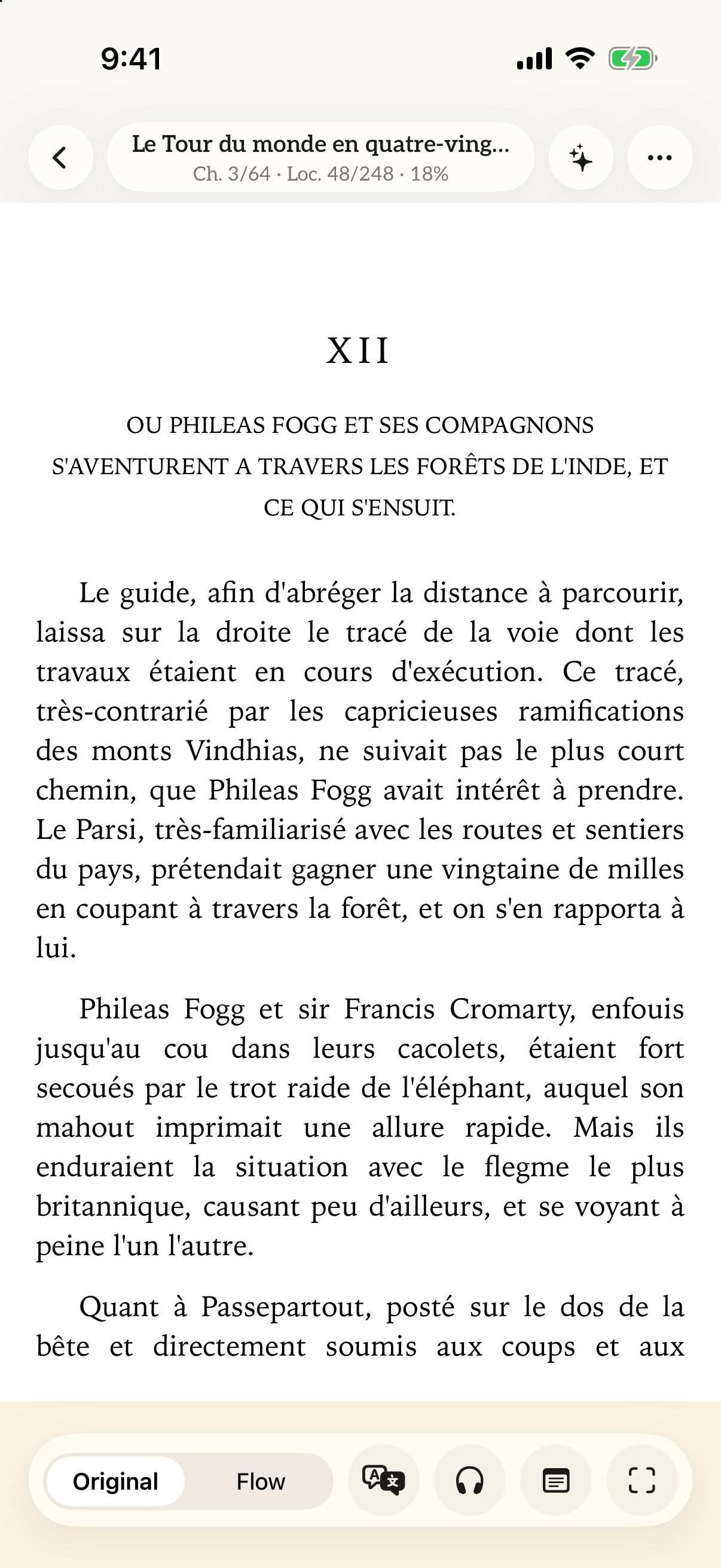
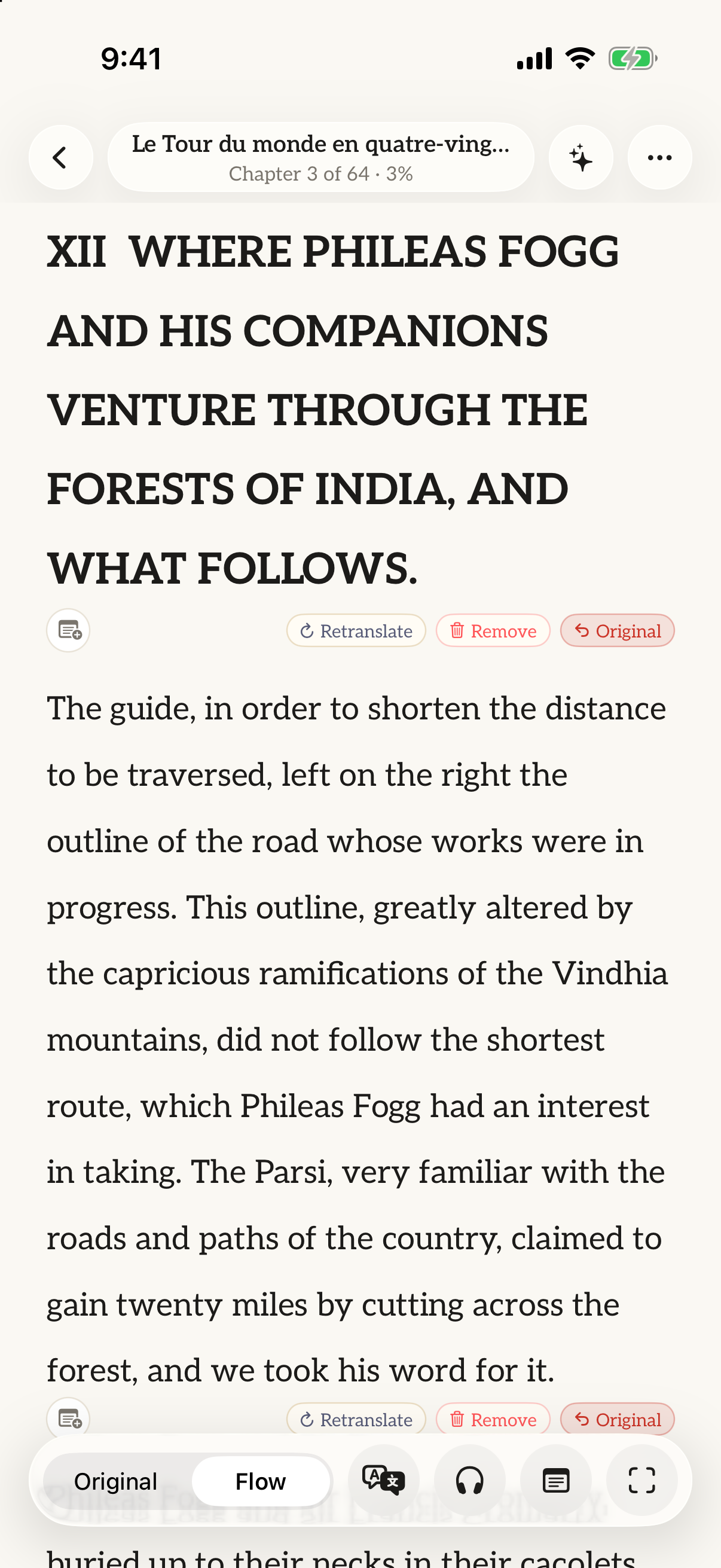
Read a PDF in its original layout or switch to a single column of translated text. You can always return to the original to check a passage or illustration.
See the original PDF layout. Tap a paragraph to read its translation without changing the page.
Read translated text in a single column. Long-press a paragraph to check the original.
Flural translates upcoming pages while you read. Translation continues while you use the app and while background audio is playing; it pauses when iOS suspends the app.
AI translation uses the surrounding text to help with expressions, tone, and specialist terms. You can compare any translation with the original.
Headers, footers, and page numbers are automatically omitted from translation. Crop wide margins with a single touch for an uncluttered reading view.
Use AI to retranslate a difficult passage, compare it with the original, or edit the wording yourself.
Translation Engines
Supports 10 languages: English, Vietnamese, Chinese, Japanese, Korean, French, German, Spanish, Italian, and Thai. Assign different engines and target languages independently to each book in your library.
Translates on compatible devices with Apple Intelligence enabled and iOS or iPadOS 26 or later. Text stays on your device, and translation works offline.
Uses Gemini models to translate text, summarise chapters, and answer questions about your book. Requires an internet connection and Cloud credits.
An offline dictionary for all supported devices. Look up individual words while keeping the original sentence structure.
Audio Narration
Listen to the original text or its translation. Pick up where you left off and give your eyes a break.
A book can carry a voice across centuries and continents.
With a voice to read it aloud, the same page becomes something you can listen to.
Even with your eyes closed, the story continues.
Use system voices or download neural voices for offline listening, including four Vietnamese voices.
Listen with the screen off. Check playback progress through Live Activities and the Dynamic Island.
Stop playback at the end of a chapter or after 15, 30, or 60 minutes. Adjust the reading speed from 0.75× to 2.0×.
Accompany your reading with rainfall, summer cicadas, soft jazz, or music from your Apple Music library, playing gently behind the narrator.
Thoughtful Details
Capture printed pages with your camera and save them together as a PDF.
Save passages with your own notes and export them in Markdown.
Use Flural Cloud to ask questions or get chapter summaries, with page references to help you check the answers.
Return to your book from a Home Screen widget, or ask Siri to resume.
Choose from five page themes, including Washi, E-Ink, and Obsidian, and four typefaces. Adjust font size, line spacing, and margins.
Group books into collections with your own covers. Search your library by title or author.
Open files directly from the Files app or iCloud Drive. Flural never duplicates files or disrupts your existing folder structure.
Thoughtful Details
14online libraries
Find classics and textbooks through Project Gutenberg, Standard Ebooks, Internet Archive, and OpenStax. Availability and access conditions vary by source.
Privacy
No sign-up and no tracking of your reading. You decide when to share text with Flural Cloud.
Files are opened directly on your device. Text recognition and on-device translation run entirely on your iPhone or iPad.
No signup or profile required. Flural collects zero telemetry about what you read, when you read, or how long you spend.
Text is sent online only when you choose Flural Cloud for a book and agree to share it. You can withdraw that permission in the app.
Flural does not store or log the text sent to Flural Cloud. Google processes it under its paid API terms and may retain it temporarily for abuse monitoring. See the privacy policy for details.
Transparency
Flural opens PDFs and EPUBs without DRM protection. It cannot open DRM-protected books, including protected titles from Kindle, Google Play, or Kobo, and does not remove DRM.
Translation and text recognition can make mistakes. Check the original whenever a passage seems unclear.
Apple Intelligence translation requires a compatible device, iOS or iPadOS 26 or later, and Apple Intelligence enabled. Downloaded voices need free storage space.
Pricing
Reading, on-device translation on compatible devices, audio, notes, and reading customisation are free. Flural Cloud offers monthly plans for online translation, summaries, and questions, with trial credits to get started.
0 USD
Everything you need for complete, offline reading on your device.
2.99 USD / month
For occasional foreign chapters and quick questions.
4.99 USD / month
For steady readers finishing multiple books each month.
For readers who use cloud translation regularly.
9.99 USD / month
19.99 USD / month
High volume for scholarly research, study, and daily reading.
Prices are shown in USD. Check the App Store for the price in your region. Plans renew monthly; you can change or cancel your subscription in your Apple Account settings.
DownloadFlural opens unprotected PDF and EPUB files from your device, iCloud Drive, or the Files app, as well as physical pages captured directly with your camera.
Yes. Reading, supported on-device translation, and listening with downloaded voices work offline. Connect to download models, voices, or books, browse online libraries, or use Flural Cloud.
If a book has DRM protection, Flural cannot open it. The store you bought it from may require you to read it in its own app. PDFs and EPUBs without DRM can be opened in Flural.
The translation engine supports 10 languages: English, Vietnamese, Chinese, Japanese, Korean, French, German, Spanish, Italian, and Thai.
Open Settings → your Apple Account → Subscriptions to change or cancel your plan.
In Options → Translation → Flural Cloud, choose “Delete my Flural Cloud data”. This removes the device link and ends access to its Cloud account. Purchase and usage records are retained. Unused credits are lost, and your App Store subscription is not cancelled.

Free for iPhone and iPad. Open a book and start reading, without creating an account.
Download on the App Store